Description: Z:\XP PC Backup\My Documents\Beta Web Site\Software\smx_files\head_resrc.gif


ProtoTRAK PMX Offline Software

Current versions in this release:

Software version 4.1.0 B6


DXF version 3.3

Parasolid version 1.06


Verify version 1.07

Download Instructions


1.  Click on the Download Now Button.
2.  In the selection window, select Save.
3.  Choose a temporary location to save the file. You may want to create a directory called "ProtoTRAK  Downloads" or save the file to your Desktop. 
4.  After the download completes, you will have the software saved on your hard drive. Close the download window if it is still open. 
5.  The software you have just downloaded is compressed to make it easy to download. See the instructions below "Extracting and installing the software on your ProtoTRAK"  to finish the process. 


pmxol_410b6.exe    25.1 MB


Installing the software onto your PC

1. Double click on the file you have just downloaded.


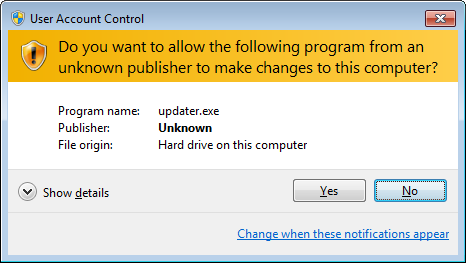
2. If prompted with a User Account Control message, simply click YES.


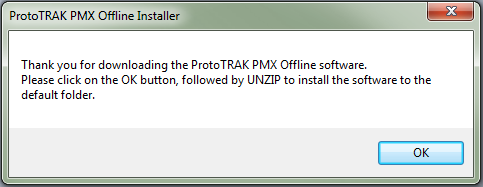
3. Click on the OK button


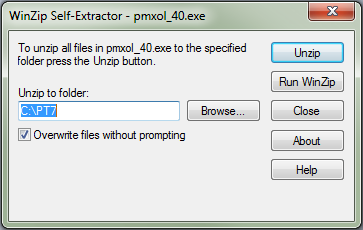
4. Click on the UNZIP button.


5. The software should have copied over to the appropriate folder now. Click on the Close button to exit the installer.


6. NOTE: You must install Microsoft Visual C++ 2008 runtime library in order for our Parasolid and Verify options to work properly. They can be downloaded and installed from this page: http://www.microsoft.com/en-us/download/details.aspx?id=5582


7. To launch our software, look in the C:\PT7 folder, and then double click on the CADCAMLOADER.EXE file.


2615 Homestead Place
Rancho Dominguez, CA 90220
310-608-4422

Copyright © 2015
 All rights reserved.

Description: Z:\XP PC Backup\My Documents\Beta Web Site\Software\smx_files\pphlogger.gif